12 tips to increase your LinkedIn influence

By 


Over the last 3 weeks, I have written a series of blog posts challenging common practices for measuring online influence and offering advice on how to maximize influence in the Twitter and blogging channels. This week, I will share 12 tips to increase your LinkedIn influence.
LinkedIn is often an underutilized influence channel. Many influencers limit their LinkedIn involvement to maintaining an up-to-date profile. However, they are missing out on an opportunity to expose their knowledge, ideas, and personal brand to large subsets of their target audience in a platform with tremendous engagement opportunities not to mention the ability to drive large volumes of traffic to their other influence channels.
LinkedIn has more than 150 million users in over 200 countries and across all major industries, making it the largest and most expansive professional community in the world. Since each individual’s identity is tied to everything they do on the site, it also makes for an extremely targeted influence channel. An influencer can communicate and engage with his/her target audience, determine the audience’s relevance and engagement levels, and predict the impact of sharing information with their network, participating in a group or community, or asking or answering questions in LinkedIn Answers.
To maximize one’s LinkedIn influence, an individual must have focus, high quality content, consistency in activity levels, encourage engagement, and maximize exposure to his/her target audience.
LinkedIn Influence

Below are 12 tips to increase your LinkedIn influence:

  1. Understand your target audience and focus your efforts on a limited set of topics/industries that are relevant to their interests and needs. See my previous entry on blog influence for a more in-depth explanation on how to hone in on your target audience.
  2. Complete and optimize your LinkedIn profile. This will drive visitors to your linked blog and/or Twitter accounts and expose them to more of your ideas and content. If they like what they see, they will likely sign-up for your newsletter or RSS feed, or follow and/or list you on Twitter. Both of these opportunities enable you to push content to these people and potentially pull them into your sphere of influence. For more on how to optimize your LinkedIn profile, please see my post on LinkedIn Search Optimization Tips and Tricks.
  3. Keep your profile professional, as this will aid you in establishing credibility and expertise in your target industries and subject matters on LinkedIn. LinkedIn is a professional network and getting too personal via this network will detract from your credibility and decrease the number of connections that review your updates. That said, adding a personal twist to your profile and your LinkedIn presence can actually make you more approachable. The key is to limit this information to the areas that invite you to share personal information like the interests section, and to not get carried away in filling these sections out.
  4. Identify the functional and industry groups that your target audience(s) participates in. These groups represent great opportunities to expose your personal brand, knowledge, and ideas to these individuals. You should dedicate some time each week to engaging with members of these groups.
  5. Engagement in LinkedIn Groups is not posting your blog posts into the forums; rather, it is actively participating in group discussions and adding value to the community through sharing ideas, answering questions, and asking questions.

LinkedIn Professional Headline: Yours probably sucks

by Jason Alba 


So many times I see LinkedIn Professional Headlines that … well, suck.
Yours probably sucks (unless you got my LinkedIn book or my LinkedIn DVD, as I talk about this quite a bit in those).
Here’s a quick test:
(a) Does your LinkedIn Professional Headline have your TITLE?
(b) Does your LinkedIn Professional Headline have the name of your company?
If it has either of these you have a great chance of having a sucky professional headline.
Why do I say this?
  1. The title doesn’t tell me a whole lot.  If it’s a big title in a small company I’m not impressed.  If it’s a regular title in a company or industry I’m not familiar with, I might not really know WHAT YOU DO.
  2. Beyond that, though, your title doesn’t tell me WIIFM (What’s In It For Me?). I don’t care that you are a CEO, or analyst, or any of that other stuff.  If I SHOULD care, I can find that in the rest of your LinkedIn Profile, right?

Make an Impact with Your LinkedIn Headline


Do you know you can customize your LinkedIn headline? By default, LinkedIn will use your current job title. But you can make it so much more! If you’d like to watch a quick video on changing your LinkedIn headline, Laura Roeder has a tutorial How to Change Your LinkedIn Profile Headline.
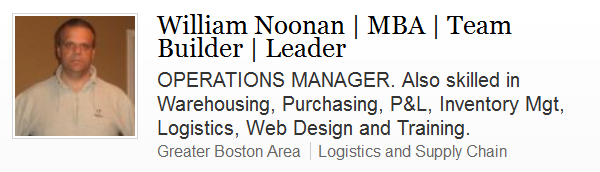
Here are some good examples of headlines that are unique and show value. They are conservative, yet still have impact!
If you are wondering where I found them, I searched a group I belong to on LinkedIn. Yes, you can search groups you belong to by key word, company, etc without needing a paid subscription to LinkedIn.

Headlines with Impact

And without further delay, here are the eye catching, make me want to learn more headlines:


You know who does an amazing job of critiquing headlines? Jason Alba. For a while, he was critiquing LinkedIn headlines on his site for free. He is no longer doing that, BUT, if you read through some of his critiques, you can read his logic and this might help you with your questions! You’ve got to love the title of his post: “LinkedIn Professional Headline: yours probably sucks.”

Announcing You Are Looking? - And have you wondered how to say you are looking for a new job?  Read the complete article to find out how...

20 Compelling Reasons To Spend Less Time On Facebook And More Time On LinkedIn


If you’re like most college students (or most other people, for that matter), chances are good that you spend more time on Facebook than you do on LinkedIn. But if you’re concerned with furthering your career (and you should be), it’s time to switch over to a more professional network. We share 20 great reasons why you need to be spending your time on LinkedIn much more than Facebook, and we hope they motivate you to make a change for the better.
  1. LinkedIn is professional at its core.

    LinkedIn was created to connect professionals in online networking; Facebook was not. Although both services have evolved to include elements of each other, they do still remain true to their original purpose, and LinkedIn excels at presenting a professional front.
  2. LinkedIn is a great place to gain expert status.

    Although experts are increasingly flocking to Facebook, it’s still hard for some people to take the site seriously. On LinkedIn, the setting is much more open to gaining expert status and credibility. Forums, question and answer sections, and groups make it simpler to connect and share your knowledge in a credible way.
  3. Your college professors might actually connect on LinkedIn.

    Although some colleges take a lax approach to social media, many still frown on Facebook connections between students and professors. But on LinkedIn, connections are typically seen as a positive thing, opening you up to the resources that your professors can share with you, including positive recommendations.
  4. LinkedIn represents a more targeted audience.

    Facebook is on track to hit the 1 billion-user mark this year, a figure that basically obliterates LinkedIn’s comparatively small 135 million plus users. One might think that more users means more exposure, and that would be correct, but on Facebook, you can’t be sure that the millions of users are actually online to hear about your professional life. On LinkedIn, you can expect to reach a more targeted audience that is connected to you, interested in your work, and willing to listen to what you have to say.
  5. You’re more likely to get a recommendation on LinkedIn.

    A recommendation on either LinkedIn or Facebook is a great way to put your best foot forward, but you’re simply more likely to land one on LinkedIn. Recent stats show that 36% of LinkedIn users make a recommendation, compared to 27% of Facebook users. LinkedIn also has a 57% interested recommendation response, compared with 42% on Facebook.
  6. LinkedIn users log in with a sense of purpose.

    While on Facebook, you may be surfing to find out about the latest cat video or your friend’s wedding photos, but LinkedIn tends to lead to a more task-driven visit. Users log in to check out job and collaboration opportunities, people to hire, and relevant industry news.
  7. LinkedIn is a great place to showcase your unpaid work.

    Even if you haven’t been hired for a job in your life, chances are you’ve volunteered or done an internship before graduation. LinkedIn is specifically designed to help you showcase this experience.
  8. LinkedIn is an online resume.

    LinkedIn is a great place to collect references, share your work experience, professional samples, and more. Your Facebook Timeline is much more like a digital scrapbook of personal experiences.
  9. LinkedIn searching is more robust.

    While you can search for people and terms on Facebook, LinkedIn really shines in this category. You can search for companies, find people to connect with, get news, and more on LinkedIn. Your profile is also highly searchable, and represents a great tool for allowing recruiters to find you.

LinkedIn 101: 6 Tips To Build Your Network

By  


LinkedIn, the network for professionals has changed the landscape of professional and business networking to quite anextent. Linkedin ended the year 2011 with a whopping 101 million users (Slideshare) and it has started off with a 45% growth in membership in January 2012 (Slideshare). If you have not factored Linkedin into your SMM strategy, it is time to start immediately. The Linkedin membership has a different psyche from Facebook and Twitter and is more effective in generating business leads (HubSpot study). Formulate your strategy after careful research and consideration. But first, here are a few general tips to build a solid Linkedin network:


1)  Stay linked: Very few members log into Linkedin every day or even a few times a week. Those who login frequently are the ones who have the most visibility on the pages of their connections. Being regular is the key to increased visibility. The more visibility you have, the more influential you will be on your connections. Staying active on Linkedin takes considerable time and effort like other networking sites. However, the rewards are rich and satisfying. Following are a few to-dos for staying linked and active:
    • Update your status two or three times a day on the site itself instead of using other automated queuing tools. This way, you have total control over the message which increases your chances of engagement.
    • Keep sending invites to a handful of new people every day, which helps in slowly building your connections’ base.
    • Keep in touch with your connections through commenting and sharing. This way, you will be in touch with all your connections even if it is not “in-depth” contact.
    • Comment on the updates by the company pages that you follow. This informs about your interests and opinions to your connections.
    • Initiate or be a regular participant in the discussions started in the groups that you follow.
    • Asking/answering questions in “Linkedin Answers” is also a great way to stay in touch with your current connections, making new connections, showing your interests and knowledge regarding relevant topics.
    Note: If you are sharing your tweets on your Linkedin page, remember that it is only information sharing on Linkedin. It will not contribute to any engagement. Be selective about the tweets you share. Do not link your Twitter page to your Linkedin. This may lead to inappropriate and unnecessary tweets appearing on your Linkedin page and annoying your connections.

    2)  Keep connecting: Always be on the look out for people you may know and those with similar interests. This will help expand your connection base. Whenever you invite someone to connect with you, make sure to identify yourself appropriately. Linkedin has also recently improvised its “People you may know” functionality. If your profile is updated with your education details, you can also use the “Alumni” search feature to unearth connections.

    3)  Monitor your connections: Monitor your connections, by giving attention to their shares and activities visible to you. This will help you keep abreast of their interests and also their login patterns. This in turn will help plan your strategy.

Marketing Tips: Build Your Brand on LinkedIn

Geoffrey James

Potential customers now assess your brand based on your LinkedIn profile rather than your website.


When most entrepreneurs think about brand-building, they assume that the best way to build a brand is to have a professional-looking website. However, websites are getting less important every day, especially for smaller firms.
First, corporate websites are getting less important every day because anybody can buy a fancy website and populate it with highfalutin' business talk. And everybody knows that such sites come pretty cheap.
Second, when customers buy from smaller firms, the people who stand behind the firm's offerings are often more important than the offerings themselves.  Big firms typically have a public track record that creates their brand; smaller firms have, well, people like you and the people who work for you.
In other words, your "brand" is increasingly based upon how you present yourself (and the people you work with) on public forums in the Internet.  And that's why LinkedIn is so damn important.
Why LinkedIn Matters
While you may have a bio posted on your website, your customers get (or should get) a better perspective of whom they're buying from when they check out your LinkedIn profiles.
Customers will look not just at your experience, but also your relationships: who has endorsed you, who has worked with you, what people have said about you, and the type of people who are in your network.
None of that information is on your website–and, if it were, it would look phony anyway.  The simple truth is that, while you have some control over your LinkedIn profile, it's widely perceived (correctly, I think) as being more objective than a corporate website.
Smart entrepreneurs realize that LinkedIn and other social networks can be more important than their websites–and therefore deserve as much, or more, serious attention.
Step by Step
With that in mind, here's a step-by-step process for turning your LinkedIn profile into a brand-builder:
1. Choose a customer-focused message. Many entrepreneurs tend to think from the inside out: This is our product, here are its features.  Instead, think from the outside in: Our customers buy from us in order to achieve this goal.
2. Reframe your experience to fit the message. Rather than treating your LinkedIn profile as an autobiography of your working life, treat it as a way to show why your experience makes you a credible supplier of whatever you're selling.

Four Tips for Diversity Sourcing with LinkedIn

Tatjana C. Andreano


Editor’s note: Tatjana Andreano is a Recruitment Product Consultant at LinkedIn, a sourcing ninja, and our in-house expert on diversity sourcing with LinkedIn. Before joining LinkedIn, Tatjana held roles in sourcing and recruiting at Moody’s Corporation, ADP and Carnegie Associates.
It’s no secret that a diverse workforce can have a range of positive effects on an organization, so we’re not surprised that our clients frequently ask us for best practices in sourcing diverse hires on LinkedIn. LinkedIn Recruiter’s search features and LinkedIn Groups are two products you can use to source diverse talent. Here are our top tips for getting the most out of these powerful tools:
1. Build a list of keywords relevant to your diversity targets, and use them in your Recruiter search strings. Let’s say you’re looking to engage women for technology opportunities at your organization. Pull together a list of women’s niche associations, schools, sororities and so on (a quick internet search will be helpful here). Next, you can use an Excel Boolean “OR” string builder to create a search string with your keywords. You may also consider using Glen Cathey’s LinkedIn diversity sourcing tip and include women’s names in your search query.
diversity1
Pop that search string into LinkedIn Recruiter with keywords reflecting skill requirements for the role you want to fill, and you’re in business!
blog1
2. Search Alerts, Similar Profiles, and Custom Filters help you find more of the right candidates. Once you’ve entered your keyword-rich Boolean search string, be sure to save your search and set a Search Alert: you’ll be notified every time a new or updated profile matches your query.
blog_1
And once you’ve found that perfect candidate who matches your criteria, click on Similar Profiles, and LinkedIn matching algorithms will produce up to 100 more profiles like the one you’ve identified.
similarprofiles
In addition, use search custom filters to refine your search results. For instance, the All Groups search filter allows you to select specific LinkedIn Groups (e.g., groups for women in technology) and refine your search results to show only profiles that are members of these groups. Save frequently used search filters and access them in the “Search for Candidates” box at the top of the Recruiter home page and in the “Refine by” panel on the left side of your search results page.
blog_2


7 Phrases to Delete from Your LinkedIn Profile

by


An interesting practice seems to have cropped up among self-written social media profiles, where phrases taboo on resumes like, “Self-motivated team player,” are creeping back into lists of job hunter credentials on LinkedIn.
Unfortunately, these mundane, dry, and redundant phrases can make it difficult for you to maximize the power of LinkedIn in a job search.
It’s also challenging for recruiters and employers to see past these overused terms when looking for your value proposition!
However, with a little ingenuity, you can pull the lackluster phrases out of your profile and replace them with powerful writing that conveys your personal style and energy.
Here are some of the worst offenders lurking among LinkedIn profiles, along with suggestions for alternative wording:

1. Accomplished professional

If this is really true, then show (don’t tell!) your readers about it. This phrase is likely to prompt more annoyance from employers than appreciation.
Instead, consider using a sentence or phrase that speaks specifically to your achievements, such as, “Sales rep honored for closing 147% of quota during 2009 and 2010,” or, “IT Director heading multimillion-dollar outsourcing contracts at major banks.”
In addition, you can add accomplishment data (right in the Summary) that cuts to the heart of what you do and why you’re good at it, with sentences like, “Sales manager honored for coaching 3 Top Producers,” or, “Operations manager promoted for increasing production line efficiency.”

2. Results-driven

Most companies plan on hiring someone who fits this description, and they weed out anyone who doesn’t perform to their expectations. It’s almost to your detriment to point this out in your profile.
You might try adding information that actually PROVES your drive for results, with mention of how you’ve earned a promotion in just six months, or the ways in which your performance has outpaced that of your peers.

3. Exceptional communicator

The trouble with this phrase is it’s not only tough to prove, but that the person using it often misspells one or more words (really).
Since your LinkedIn profile gives you plenty of opportunity to demonstrate your writing skills, you’ll have the opportunity to convey complex concepts or perhaps distill a major project into a short description…both of which would speak louder about your communications skills than this phrase ever will.

Phrases 4-7 and complete Careerealism article

4 Ways Millennials Can Use LinkedIn to Find Jobs

Liz Alton


With national unemployment hovering around 8% and the figures even worse for people just out of college, job searchers need every edge that they can get. One powerful tool at your disposal is LinkedIn. Most people know that they have to be on it, sign up for an account, and slap up a version of their resume. But really interesting things can start to happen when you dig in and use LinkedIn in ways that can help you capture your network capital, make specific high-value connections, and ensure other users looking for people with your skills are finding you first.
1. Connect with your entire network – consolidate all your networks into LinkedIn.
Different social media networks have different purposes. We sound off on Twitter, we connect with our friends on Facebook, we pin pictures of stuff we love on Pinterest. LinkedIn is the place to go when you’re looking for a job. But when you’re just getting started, you may only have a few connections from school, internships, or one or two professional positions.
Make sure you’re bringing the power of your entire network to bear when building your profile on LinkedIn. Start by making a list of all the jobs, schools, and organizations that you’re part of. Now search for appropriate contacts there.  Import your email contacts and get linked up with everyone in your address book. Just because someone is on your rugby team or from your church doesn’t mean they won’t be a useful professional contact. Finally, consolidate your contacts from places like Facebook to make sure you’re professionally connected to literally every person that might help you with your career goals.
If you have a Yahoo account, they have great tools for pulling in contacts from a variety of networks which you can then use to connect with people on LinkedIn.  
2. Strategically stalk the people that can help you get where you want.
Let’s say you’re on the hunt for a job, and you’ve recently applied for a position as a marketing assistant for a local company. You addressed your job application to the recruiter, and now you’re waiting to hear back. The job description said that the position reported to the Vice President of Marketing, but you can’t find out who that is via the company’s website.
A simple search on LinkedIn for the company name should give you everyone with a profile, and since most people list all of their current positions on LinkedIn, you should be in a good position to identify the right person. With a bit more due diligence, you can deduce the naming protocols used for the email systems of the company. At that point, if you think it’s appropriate, you can then reach out directly to the hiring manager to initiate a conversation.